

InvoicePilot
InvoicePilot is a purpose-built desktop application that helps teams code and approve PDF invoices faster with far less manual effort. Users can open and manage multiple invoices at once, quickly remove unwanted pages, and save invoices individually or in batches. Invoices can also be dragged directly into InvoicePilot from email, eliminating the need to download and re-open files.
InvoicePilot helps you define, organize, and store the accounting and approval information needed to code and approve invoices consistently. After setup, invoices can be coded and approved with three simple steps.
Simple workflow:
- Drop the invoice into InvoicePilot (including drag-and-drop from email).
- With two clicks, define the approval stamp and drag it onto the invoice for coding/approval.
- Save the approved invoice.
InvoicePilot Features
01
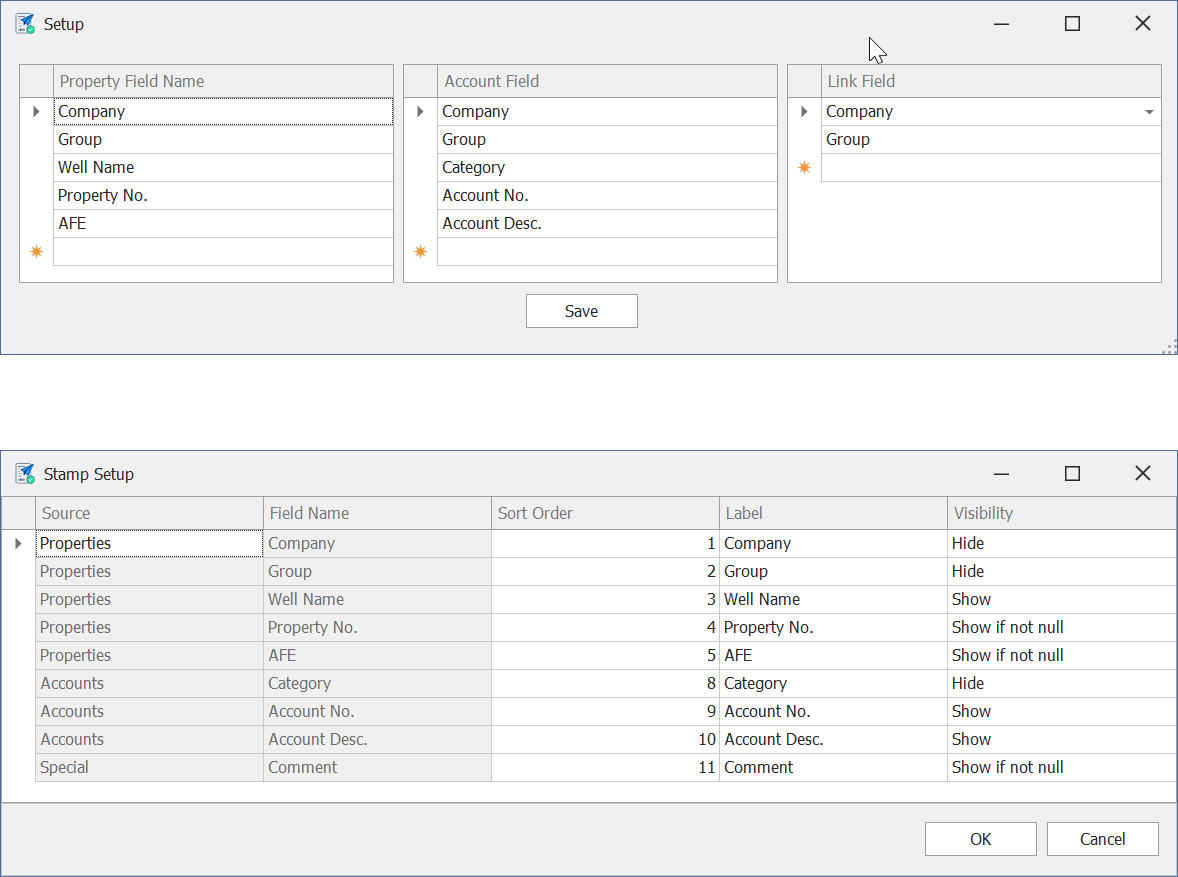
Customize Property, Account, and Stamps
Set up property and account information that is meaningful to your business and define an Approval Stamp that contains exactly the information you need.
02
Drag and Drop from Email
Drag invoices directly from an email attachment into InvoicePilot for coding and approval.
03
Process Multiple Invoices Quickly
Code multiple invoices quickly and batch-save them for processing by accounting.
04
Simple Invoice Splits
Easily create multiple approval stamps when an invoice needs to be split between multiple properties.
For unequal splits, manually create two stamps. For equal splits, select multiple properties (using the Shift key) and multiple stamps will be created, equally dividing the total invoice amount.
05
Manipulate Invoice PDFs
Rotate, split, and delete PDF pages as well as rename PDF tabs directly inside InvoicePilot.
06
Efficiency and Error Reduction
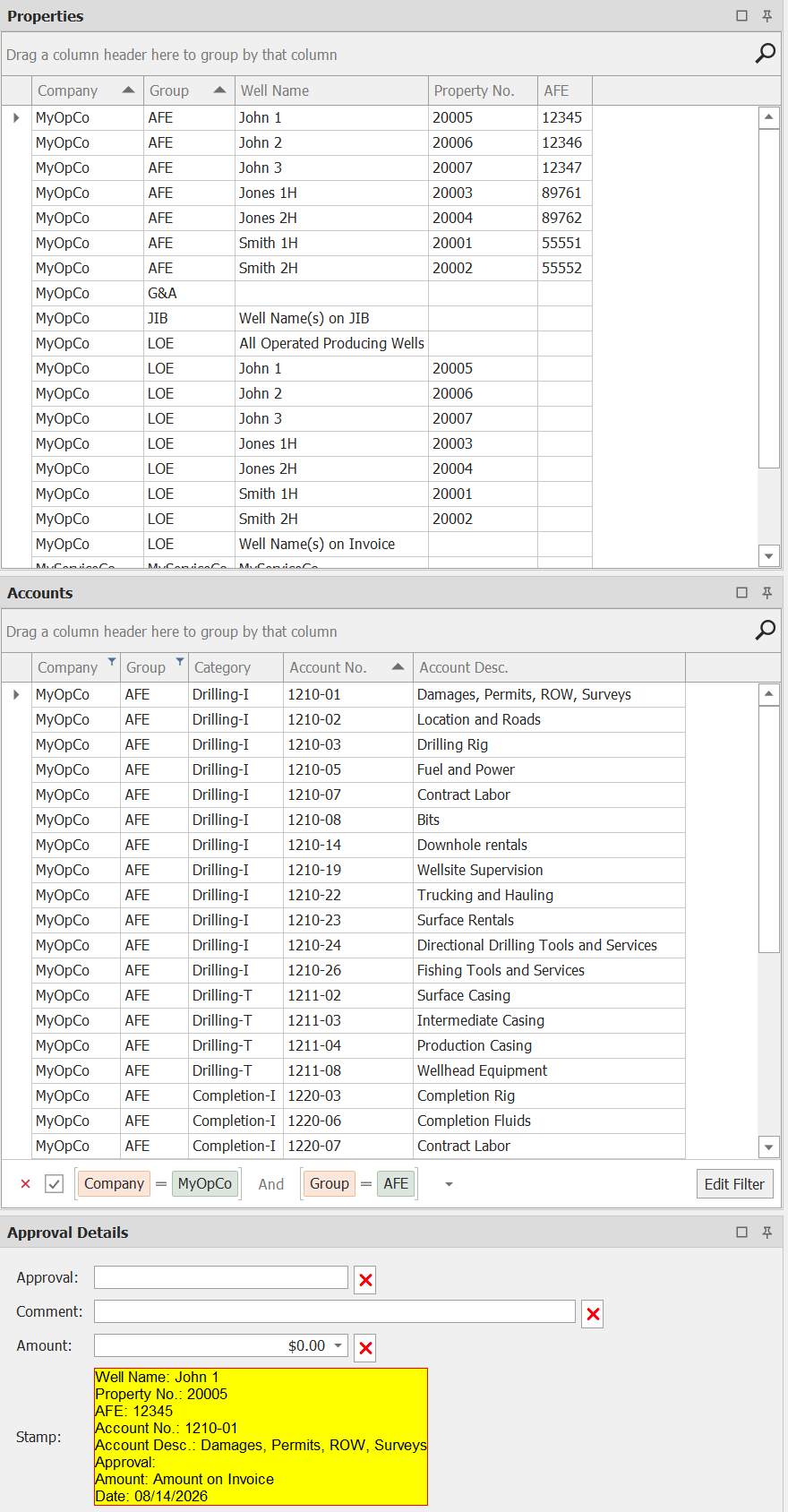
Property and account information is entered once and reused for future invoices, saving time and reducing errors. Accounts can also be automatically filtered based on the selected property.
Trial & Subscription
Annual Subscription
$999 / License
A 12-month subscription that includes updates and support while the subscription is active.
To request an annual subscription, please call 918.520.2804 or email us.
When buying a subscription
InvoicePilot is sold as a software-as-a-service (SaaS) subscription. When you purchase a subscription, you have access to the software for 12 months from the date of purchase. During this period you receive updates and email support (two-business-day response). After 12 months you can renew or let the subscription expire.
What type of licenses are offered?
InvoicePilot uses a web-based license manager. Licenses are checked in and out over an internet connection, so anyone on your team can use the software as long as an available license is free. Your subscription count limits the number of simultaneous users.
For example, if you purchase two licenses, a maximum of two people can use InvoicePilot at the same time. If both licenses are in use and a third person tries to start the application, they will receive a message that all licenses are currently in use. Additional licenses can be purchased at any time.
If you need a license that does not require an internet connection for license management, please email us.
Videos
Instructional videos are available on YouTube and can be found on the PetroCode, LLC YouTube Channel. If you would like a new video added, please contact support@petrocode.com.
Installation Videos
Initial Setup
This video shows how to perform the initial setup of InvoicePilot. The video demonstrates how to:
1. Set up the Property and Account fields and link them.
2. Configure the approval stamp.
3. Define the Property and Account values.
4. Save the setup file.
Coding & Approving Invoices
This video demonstrates how to use InvoicePilot to code and approve invoices. It shows how to handle invoices that have uneven value splits between properties, even value splits, and individual invoices. It then shows how to quickly batch-save the coded invoices.