

Well Shadow
A Better Wellbore Diagram
Well Shadow is an application designed to make creating wellbore diagrams and well histories quick and easy. It is no longer necessary to use Microsoft Excel to create cumbersome wellbore diagrams.
Well Shadow was developed from the ground up, by a petroleum engineer for petroleum engineers, specifically for the purpose of efficient wellbore diagram generation. It offers a number of feature sets that allow the creation of wellbores in minutes. Because it is an application specifically designed for wellbore diagram creation it is much more efficient and intuitive than the most common alternative – Microsoft Excel.
Well Shadow Features
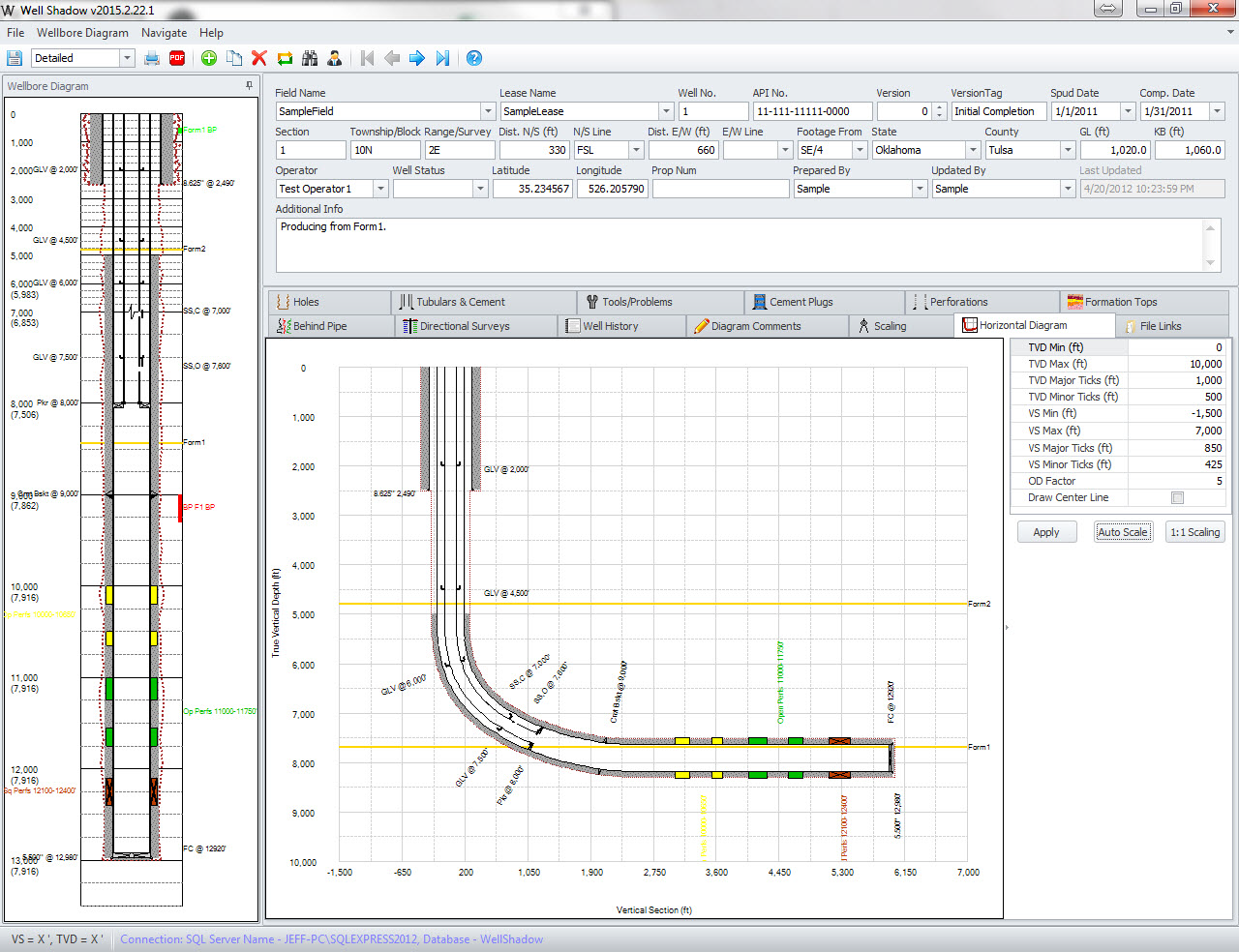
Well Shadow is a standalone software package that allows users to create wellbore diagrams in minutes. Once created, the wellbore diagrams can be stored on a local PC using LocalDB or on a SQL Server database. Using Well Shadow not only provides you with a simple and intuitive wellbore diagram application, it also provides a platform for flexibility and consistency in data recording and storage throughout your company.
Compatible with Vertical, Directional and Horizontal Wells
Well Shadow provides directional survey data input or import capabilities. When users input a well’s directional data, a true 2D representation of the well will be drawn and displayed on the wellbore diagram.
01
Multiple Diagram Versions and Duplication Feature
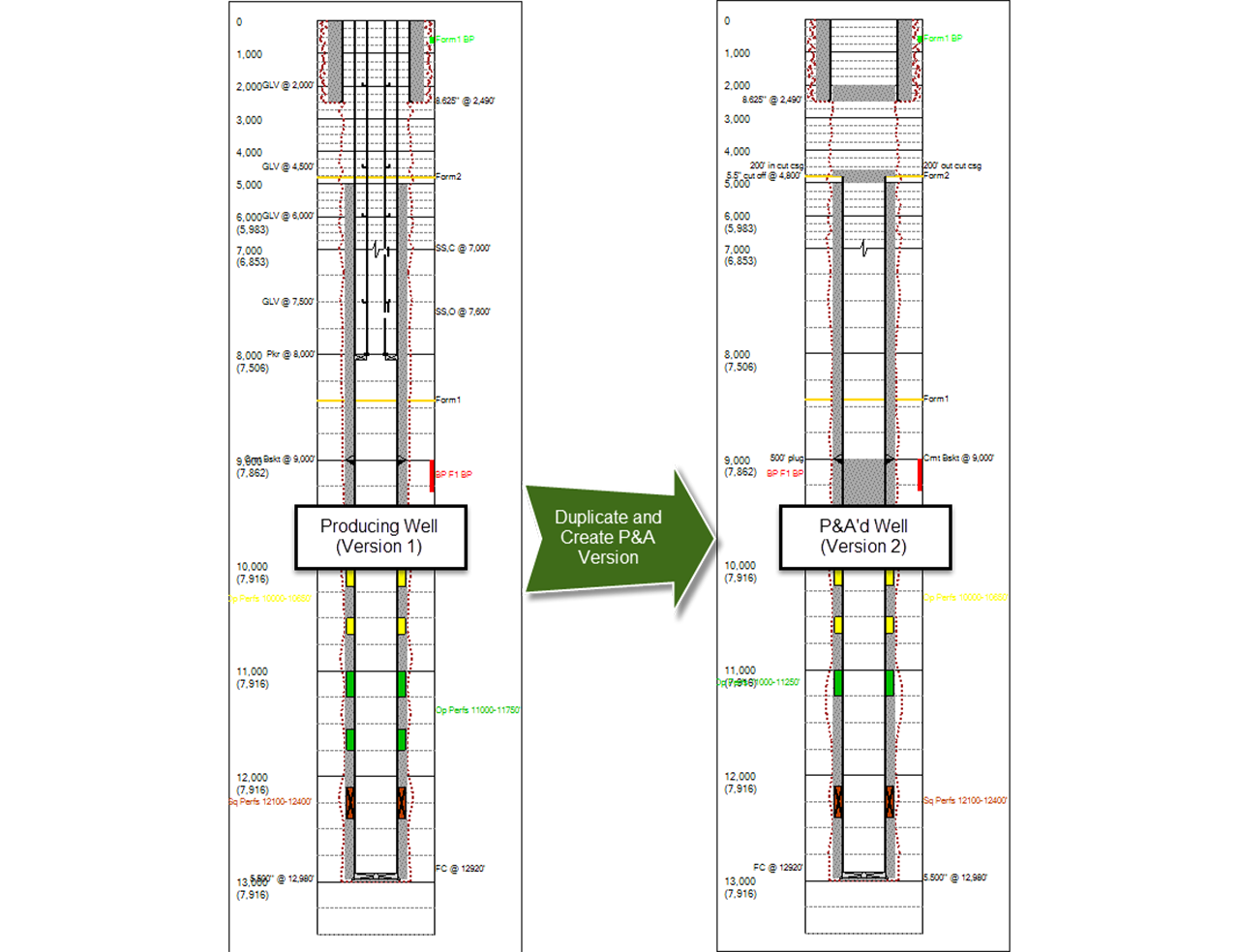
Retain Wellbore Diagram History: An unlimited number of diagrams can be created for each well allowing users to retain a fully documented history of each phase of the well’s life; from initial completion to recompletion or a major workover, each version captures a snapshot of what the well looked like at the time.
When various well sites or drilling activity is similar, our “Duplicate” feature improves the efficiency of data input by allowing template wells to be created and copied with ease. The duplicate feature makes a copy of the template well and then the user need only to adjust the details to match the new well’s specifications.
02
Wellbore Diagram Reporting
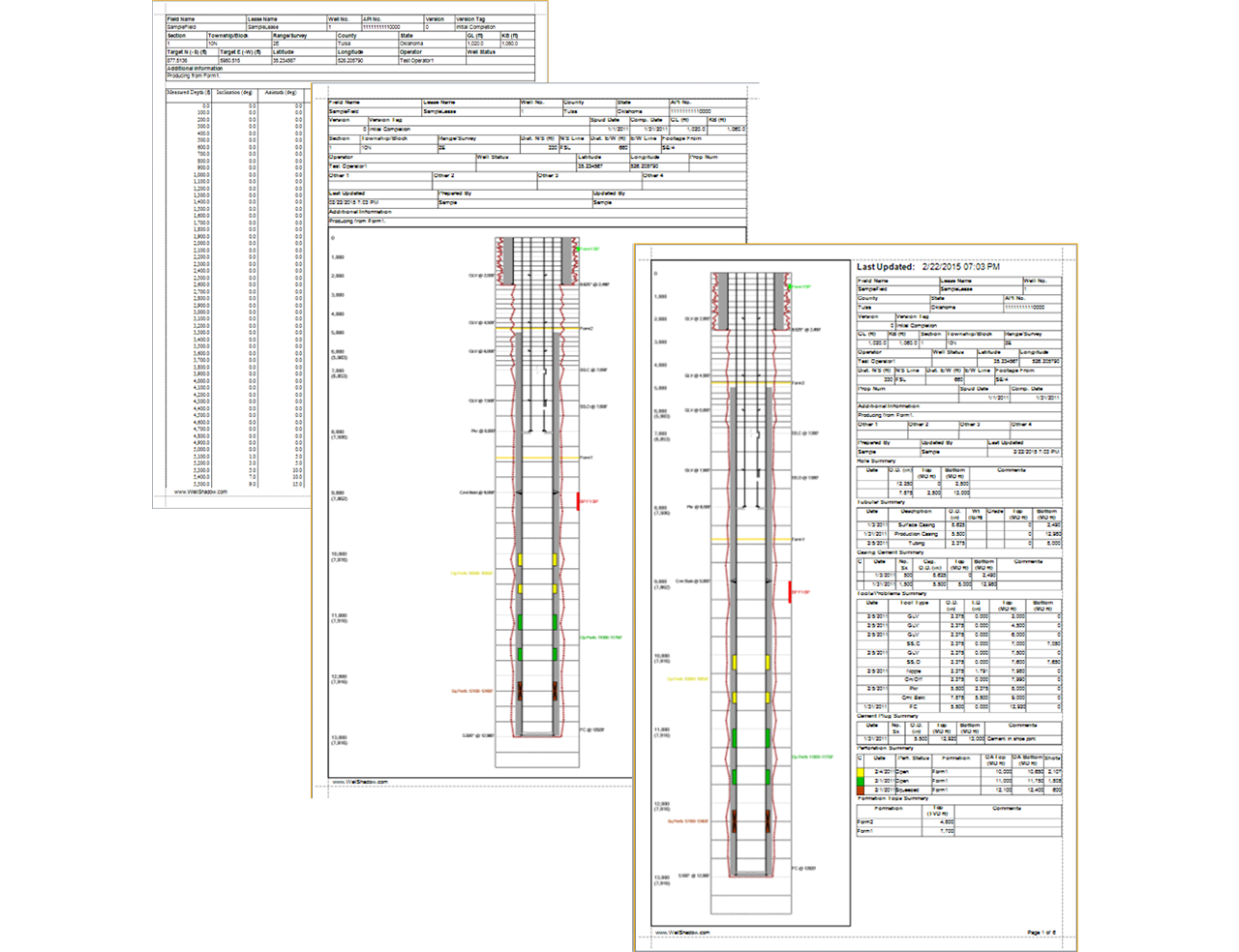
Well Shadow provides detail diagram reports and directional survey reports. “Diagram only” reports are also available when providing reports to governing agencies or other necessary organizations.
03
Import/Export Features Provide Easy Data Migration
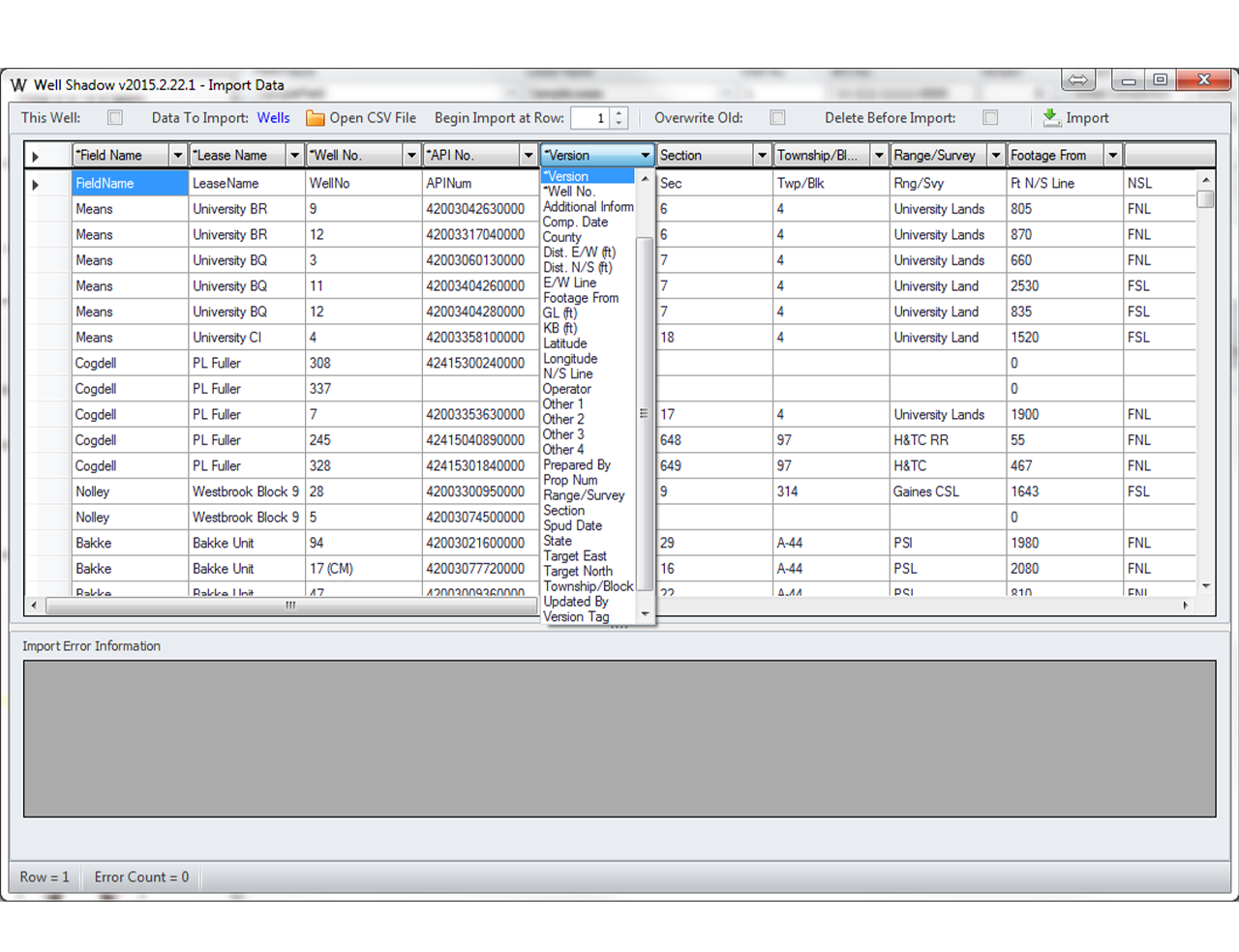
Our Import data feature allows users to import all data including CSV files using a flat file importer.
Our export feature allows data to be exported to both XLS and XLSX programs or printed as PDF files.
When working offline or away from the network, users can export data to a Well Shadow Diagram or WSD file that is easily transferred from one computer, or user to another. Any edits to the WSD files made while working offline can be saved back to the network database once connected.
04
File Links
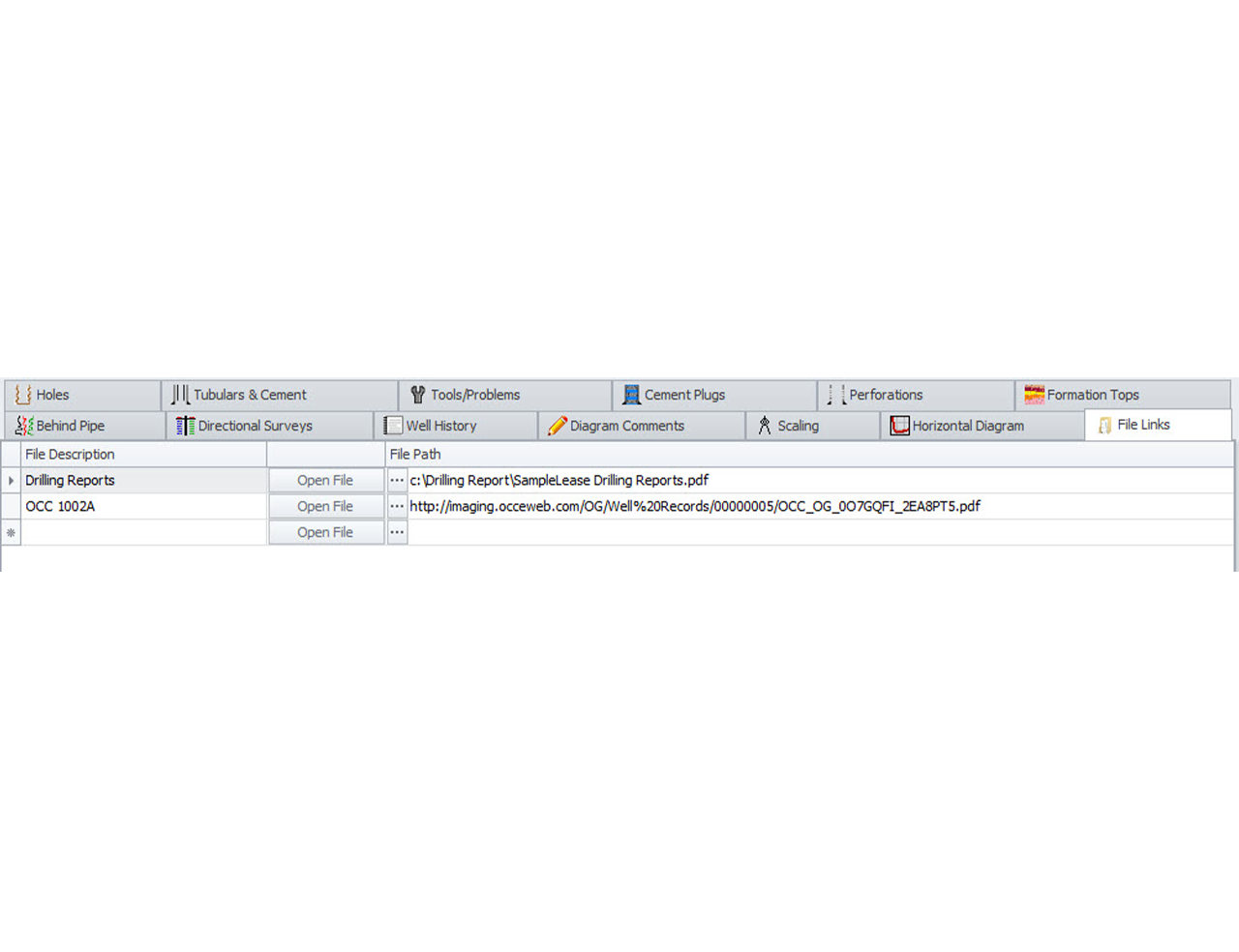
Our wellbore diagram software also features options to link files. This feature enables users to link other information about a well from various sources including PDF files, Word Documents, Excel Documents, web page links, etc. Providing access to links outside of the software application itself allows data to be organized and quickly retrieved from one location.
05
Supports Oil Field Units and SI Units
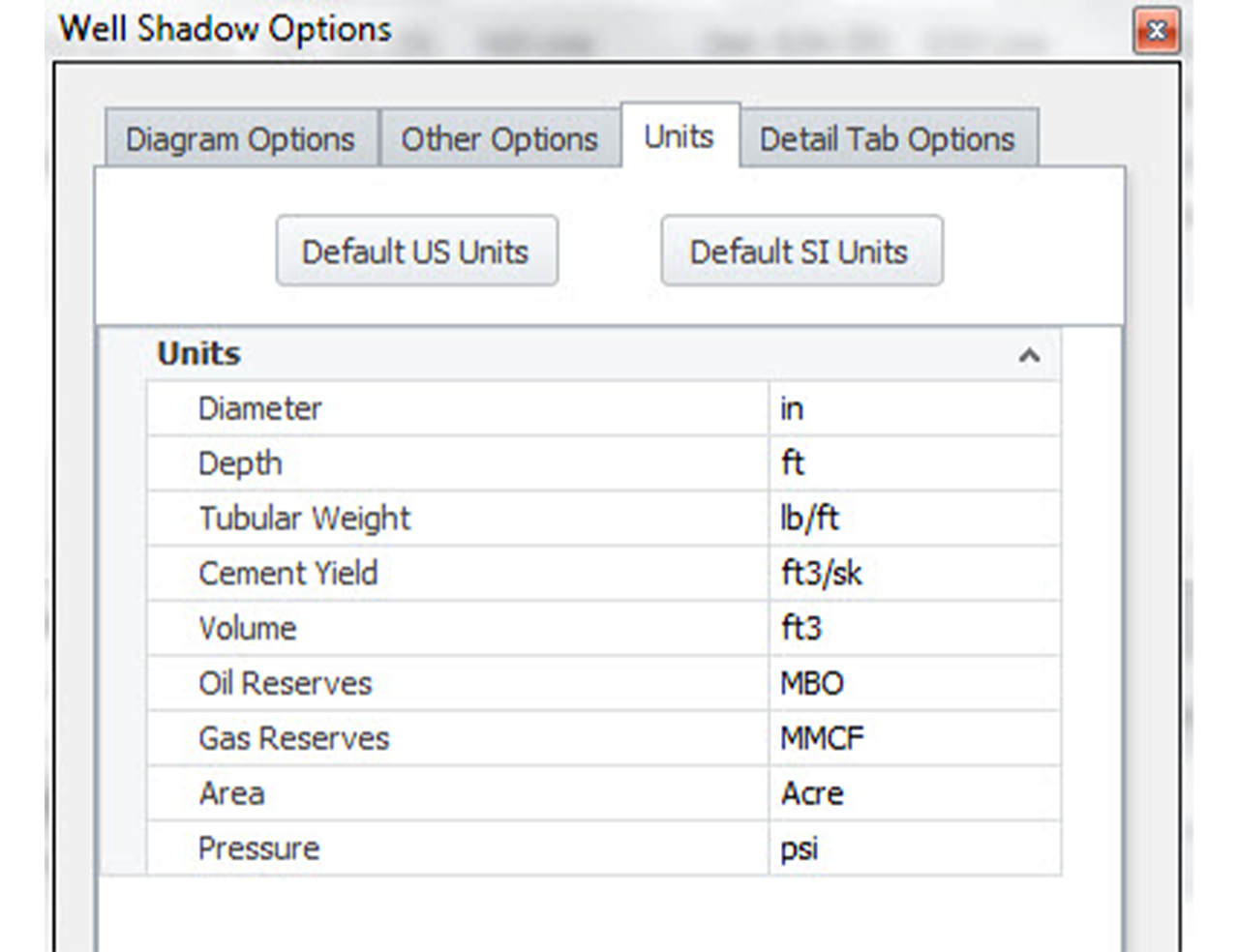
Our Well Shadow options support both oil field units and SI units. Users are able to select units for each dimension and set desired default units.
06
Customizable Header Fields
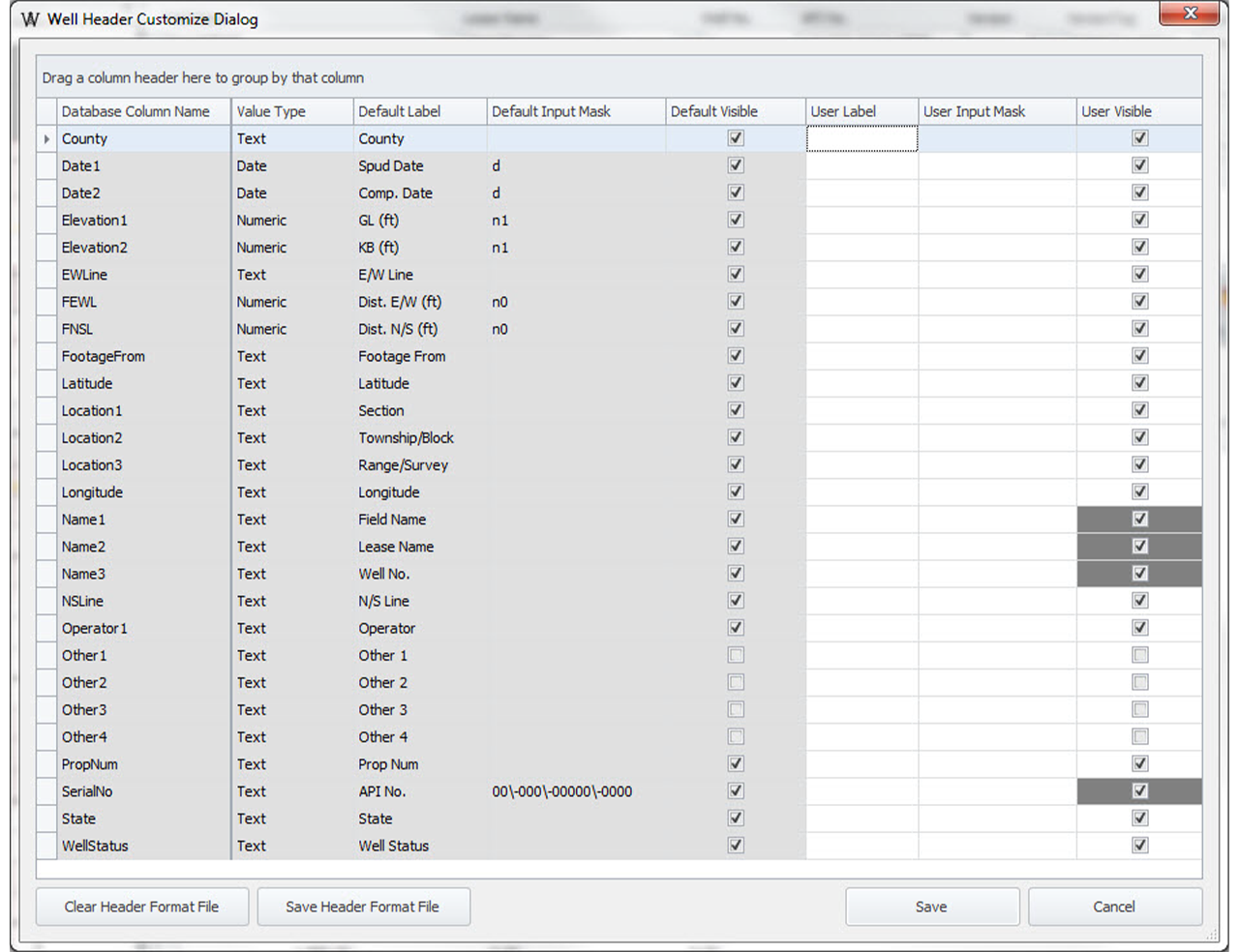
Our wellbore diagram software features fully customizable header fields. This feature allows users to create and name specific labels as well as control the input masks. Providing users the ability to generate custom header options enhances accessibility and visibility of preferred data.
07
Extensive Tool List
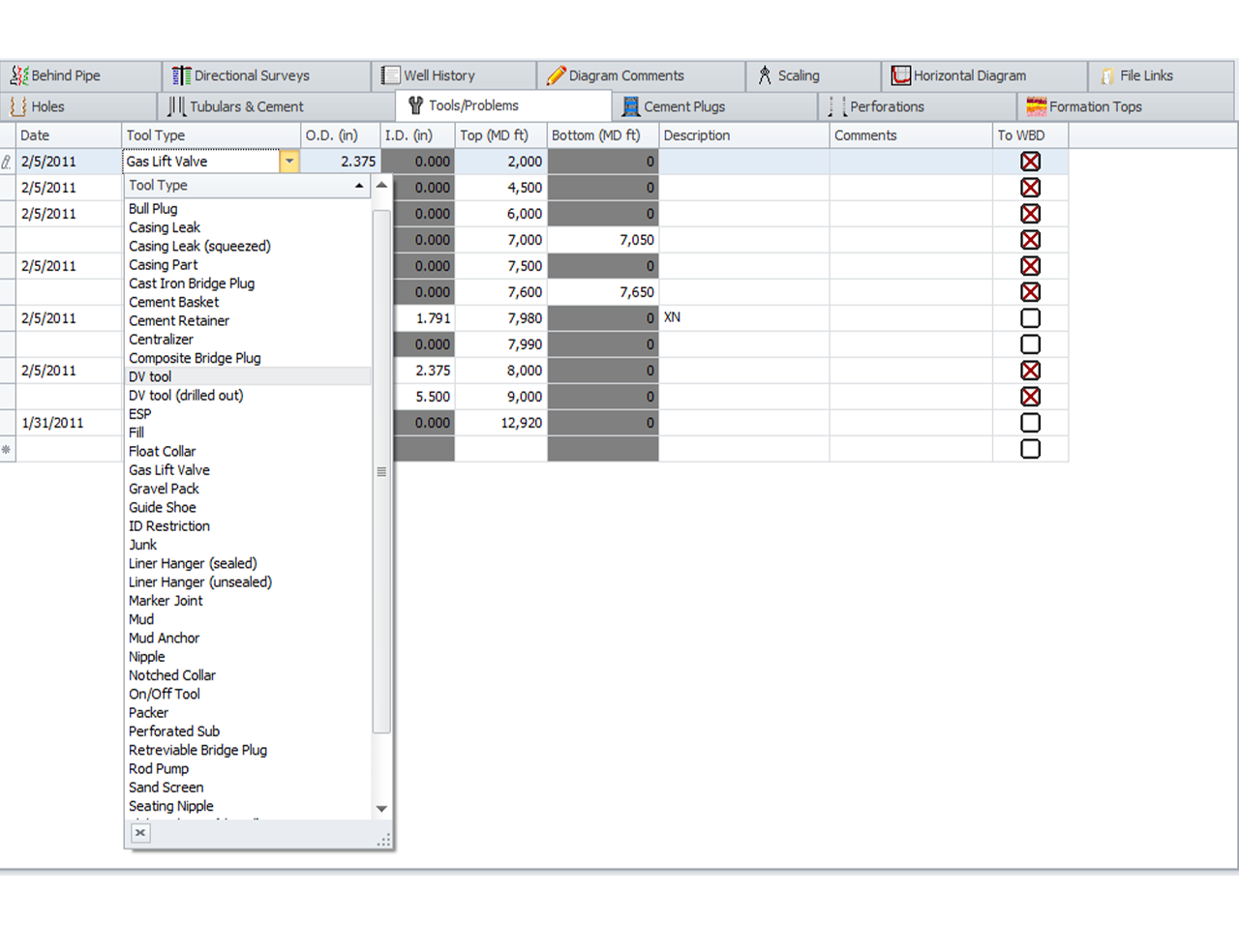
In order to create a fully customizable program, our wellbore diagram software accounts for various tool types that can be added into the wellbore diagram application.
Our tool list is extensive and constantly expanding. For a full list of items that can be included in the wellbore diagram.
Trial & Subscription
Annual Subscription
$2,625 / License
A 12-month subscription service that includes updates and support while the subscription is active.
To request annual subscription please call 918.520.2804 or email.
When buying a subscription.
Well Shadow is sold based on a software as a service (SaaS) subscription model. This means when you purchase a subscription, you have access to the software for 12 months from the date of purchase. During this time, you will receive updates and email support (two business day response). After the 12 month period you can choose to renew your subscription or let it expire.
What type of licenses are offered?
Well Shadow uses a web-based license manager to manage license subscriptions and licenses are checked in/out using an internet connection. This means Well Shadow can be used by anyone on your team as long as all available licenses are not currently in use by other users. Your license subscription count limits the number of users that can simultaneously use the software. For example, if you purchase two license subscriptions you will be limited to a maximum of two simultaneous users at a time. If the two licenses are in use and a third user tries to start an instance of Well Shadow they will receive an error message that indicates all of the license subscriptions are currently being used by other users. Additional licenses may be purchased at any time.
If necessary, it is possible to obtain a license that does not require an internet connection for license management. If this is your preference, please email us this request.
Videos
There are several videos available on YouTube and they can all be found at the PetroCode, LLC YouTube Channel.
If you would like to have a video added please contact support@petrocode.com.
Installation Videos
Install Trial, Convert to Full Version, and Configure Offline License
This video shows how to install the Well Shadow trial, convert the trial, or configure as an offline license.
Create SQL Server Login
This videos shows how to create a non-admin login for Microsoft SQL Server for use with Well Shadow.
How To Videos
Create a Simple Diagram
This video shows how to use the Comment Builder within Well Shadow.
Import Survey Data
This video shows how to import survey data from a csv file using the import tool.